



BUG REPORT
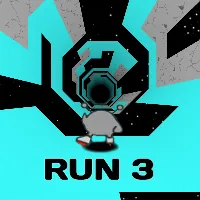
Run 3 Editor
Players who enjoyed Run 3 Editor also loved these
Hot titles being played across the platform
 HOT
 HOT
 HOT
 HOT
 HOT
 HOT
 HOT
 HOT
 HOT
 HOT
 HOT
 HOT
 HOT
 HOT
 HOT
 HOT
 HOT
 HOT
 HOT
 HOT
Pick another awesome game and continue playing













If you've ever burned through the endless tunnels of Run 3 and thought, "I could design a better death trap than this," the Run 3 Editor is your chance to prove it. This fan-made level creator lets you build, test, and share your own custom tunnels using the same slick gravity-flipping mechanics that made the original a classroom legend. Instead of just surviving someone else's chaos, you're the architect — dropping platforms, spacing out gaps, and deciding exactly how cruel that next jump should be.
It's a hit because it flips the script. Speedrunners love recreating brutal challenge maps, casual players enjoy making chill glide-through levels, and friends trade codes to see who can rage-quit first. Whether you're hunting for it on unblocked games premium 77 or just killing five minutes between classes, the editor scratches that creative itch the base game never could.
Your objective is simple on paper: build a playable tunnel, then run it without falling into the void. In edit mode, you place tiles, ramps, and gaps along a grid, then hit play to test your creation. The real challenge is balancing difficulty — a level that's too easy is boring, and one that's impossible just frustrates everyone.
On desktop, use the arrow keys or WASD to move your runner left and right, and the spacebar to jump. The signature twist is gravity: tap the up/down arrows (or the dedicated gravity key) to flip your runner onto the ceiling or floor mid-run. In the editor itself, you'll click and drag to place blocks, and use on-screen buttons to save, reset, or share your level code.
On mobile, expect touch controls — swipe or tap left/right zones to steer, tap the center to jump, and use a gravity button to flip. It's fully playable on phones and tablets, which makes it a solid pick for classroom games unblocked sessions when the teacher isn't looking.
1. Pace your difficulty curve. Start your level with wide, forgiving platforms, then tighten the gaps as the tunnel progresses. Players need a warm-up before you throw the impossible spike at them.
2. Use gravity flips as checkpoints of tension. Don't spam flips everywhere — save them for moments where the player has to think fast. A well-placed ceiling section after a long floor run feels earned.
3. Test with a real run, not just a glance. Always play your level start to finish at least twice. What looks easy in edit mode often turns into a nightmare when you're actually moving at speed.
Yes — it's a free browser game. You can find it on most unblocked games premium portals and play instantly without downloads or accounts.
Absolutely. It runs in any modern browser, which is exactly why it shows up on unblocked games 67 and similar hubs. Just keep an eye out for wandering teachers.
Most versions let you generate a shareable code or link. Copy it, send it to a friend, and watch them struggle through your creation in real time.