BUG REPORT
Cozy Room Design
Players who enjoyed Cozy Room Design also loved these



















Hot titles being played across the platform
 HOT
 HOT
 HOT
 HOT
 HOT
 HOT
 HOT
 HOT
 HOT
 HOT
 HOT
 HOT
 HOT
 HOT
 HOT
 HOT
 HOT
 HOT
 HOT
 HOT
Pick another awesome game and continue playing





















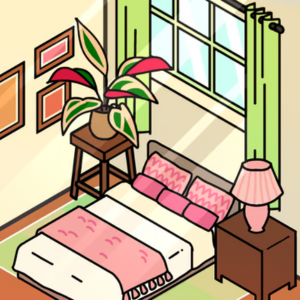
Ever scrolled past those satisfying room makeover videos and thought, "I could do that"? Cozy Room Design hands you the keys to a blank space and lets you run wild with furniture, colors, and decor — no landlord approval required. The premise is simple: take a drab, empty room and transform it into a Pinterest-worthy sanctuary that screams comfort.
This title has become a staple in the unblocked games 76 rotation for a reason. It's the perfect brain-break between classes or during a slow afternoon — zero pressure, endless creativity, and that oddly addictive "just one more tweak" loop. Whether you're a design enthusiast or just here to make a pastel dream room, it delivers instant cozy vibes.
Your objective is straightforward: decorate the room to match the vibe, then hit the completion goal to move forward. Each level gives you a theme or a loose brief — think "study nook," "boho bedroom," or "minimalist lounge" — and a set of items to place.
Desktop controls: Click and drag furniture from the catalog into the room. Use the rotate button to angle pieces, and the color swatch tool to recolor walls, rugs, and accents. Scroll to zoom in on details, and click any placed item to move or remove it.
Mobile controls: Tap to select, drag with your finger to position, and pinch to zoom. The rotate and color tools sit in the bottom toolbar for quick access. The interface is touch-friendly, so you can rearrange a whole room with your thumb during a commute.
Once you're happy with the layout, tap the checkmark or "Done" button to submit. The game scores based on how well your choices match the theme and how balanced the composition looks — so don't just dump everything in a corner.
1. Pick a palette before you place anything. Choose two or three core colors and stick to them. A room with a tight palette always scores higher than a rainbow explosion, even if every individual item is cute.
2. Anchor the room with a focal point. Start with one big piece — a bed, a sofa, or a statement rug — then build outward. This prevents that awkward "furniture floating in the middle of nowhere" look.
3. Balance height, not just floor space. Tall plants, wall shelves, and hanging lights fill vertical gaps. Rooms that only use the floor feel empty, so layer upward for a pro-level finish.
Yes, it's completely free and browser-based. You can jump in through g+ unblocked games or unblocked games g+ portals without paying a cent or creating an account.
Absolutely. The touch controls are fully supported, so it works great on phones and tablets alongside desktop browsers.
Progress is typically saved locally in your browser. Clearing your cache or switching devices may reset your designs, so finish a room before you wipe anything.