BUG REPORT
Construct a Bridge
Players who enjoyed Construct a Bridge also loved these


















Hot titles being played across the platform
 HOT
 HOT
 HOT
 HOT
 HOT
 HOT
 HOT
 HOT
 HOT
 HOT
 HOT
 HOT
 HOT
 HOT
 HOT
 HOT
 HOT
 HOT
 HOT
 HOT
Pick another awesome game and continue playing













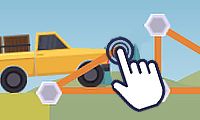
Ever watched a semi-truck teeter on the edge of a rickety wooden span and thought, "I could totally do better"? That's exactly the itch Construct a Bridge scratches. This physics-based puzzler hands you a budget, a set of building materials, and a canyon that absolutely does not care about your feelings. Your job? Design a bridge strong enough to survive everything the game throws at it — from compact cars to overloaded cargo trucks.
It's a hit because it blends creative engineering with brutal trial-and-error. One minute you're a confident architect, the next you're watching your masterpiece snap in half while a tiny animated driver plummets into the void. That mix of brainpower and chaos is why it's become a staple of classroom games unblocked sessions everywhere — it's quick to learn, endlessly replayable, and genuinely educational without feeling like homework.
The core objective is simple: build a bridge that supports vehicles crossing from one side to the other without collapsing. You start each level with a fixed budget, and every beam, cable, or road segment costs money. Spend too much and you can't finish the structure; spend too little and physics humbles you.
On desktop, you'll typically click and drag to draw beams between anchor points. Most versions let you switch between materials — wood, steel, and cable — using on-screen buttons or number keys. Right-clicking (or a dedicated delete tool) removes a beam. Hit the play button to send a test vehicle across and watch your work either hold strong or fold like a lawn chair.
On mobile, it's all touch-based: tap and drag to create beams, pinch to zoom, and tap the test button to run the simulation. The controls are forgiving enough that you can play during a quick break — which is why so many students hunt down an unblocked game version to sneak in a few levels between classes.
1. Build triangles, not rectangles. Triangular trusses distribute force far better than square frames. If your bridge keeps sagging in the middle, you're probably missing diagonal supports.
2. Use cables for tension, steel for compression. Cables are cheap and great for pulling, but they snap under pressure. Reserve steel for the parts that need to push back against heavy loads.
3. Test early and test often. Don't wait until the whole bridge is finished. Run a cheap vehicle across as you build so you can spot weak points before you've blown your entire budget on a doomed design.
Yes — most browser versions are completely free and require no download. You can play instantly in your browser, making it a go-to pick for unblocked games g plus fans.
Absolutely. The touch controls work well on tablets and smartphones, though precision building is a bit easier with a mouse on desktop.
Definitely. It teaches basic physics and structural thinking, which is why teachers and students alike treat it as one of the best classroom games unblocked options out there.