BUG REPORT
Color Switch
Players who enjoyed Color Switch also loved these









Hot titles being played across the platform
 HOT
 HOT
 HOT
 HOT
 HOT
 HOT
 HOT
 HOT
 HOT
 HOT
 HOT
 HOT
 HOT
 HOT
 HOT
 HOT
 HOT
 HOT
 HOT
 HOT
Pick another awesome game and continue playing















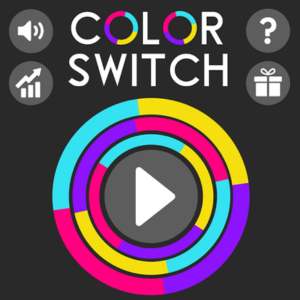
Color Switch is the kind of game that looks innocent for about three seconds — then it hooks you for an hour. The premise is dead simple: you're a tiny shape (a ball, a star, a square, whatever the level throws at you) trying to climb upward through a series of spinning, color-coded obstacles. The catch? You can only pass through a barrier that matches your current color. Touch the wrong hue and it's instant game over.
It became a phenomenon because it nails the "one more try" loop perfectly. Each run lasts seconds, the music is weirdly hypnotic, and the difficulty curve keeps you convinced you're just one tap away from beating your high score. As far as unblocked game picks go, this one is a go-to for anyone who wants a quick brain-teaser between classes or during a work break. It's fast, free, and doesn't need a beefy machine to run.
Your objective is straightforward: survive as long as possible and rack up points by passing through as many color gates as you can. Every time you tap, your character jumps. Gravity pulls you back down, so timing is everything.
The tricky part is that you can't change your own color directly — you have to jump through special rotating color-switcher orbs scattered around each obstacle. Those orbs cycle through four colors (red, blue, green, yellow), and whatever color you touch becomes your new color. So the real skill is reading the pattern: jump, switch, match, repeat.
1. Watch the rotation, not your character. Beginners stare at their ball and panic. Instead, keep your eyes on the spinning obstacle and predict where the next color orb will be. Anticipation beats reaction every time.
2. Tap lightly and early. Holding or mashing the jump button sends you flying into the wrong color. Short, controlled taps give you finer control over your height, which matters a lot in tight corridors.
3. Learn the color order. The switcher orbs always cycle in the same sequence. Once you memorize it, you can plan two or three jumps ahead instead of reacting blindly. This single habit is what separates 10-point runs from 100-point runs.
Yes. It's a completely free browser game. If you're hunting for a quick unblocked game that loads instantly without downloads or sign-ups, this is one of the easiest picks out there.
Absolutely. The controls are built for touchscreens, so it plays just as well on mobile as it does on desktop. Just tap to jump.
It shares that pick-up-and-play energy with a lot of our car games unblocked and reflex titles — simple mechanics, brutal difficulty, addictive replay value. If you like quick brain games, you'll feel right at home.